
1xBet Account Login - Sign in Page
Accessing the 1xBet account login page
This page confirms that you are in the correct place to reach your 1xBET betting account. The login page is intended for users who need to sign in and continue using their existing account access. To log in, you enter your personal credentials in the dedicated form and proceed directly to the account area.
Standard 1xBet account login process
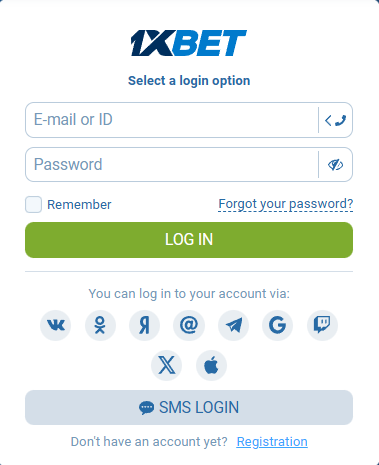
Open the 1xBET online platform (this page) in your browser or launch the mobile app (download Apk or App) on your device.
On the main screen, locate the log in option.Enter your E-mail or ID and password in the provided fields + click Remember.
Depending on how the account was created, you may use email or phone instead of a username.
Confirm the details and sign in to reach the account dashboard.
Also you can log in to your account via: VK, OK, Yandex, Mail.ru, Telegram, Google, Twitch, X or Apple ID and SMS login.
The same process applies whether you use the mobile app or the website platform. The system checks the entered data and grants access once the credentials match the account records.
Recovering 1xBet account access after login failure
If account access does not work, the most common reason is incorrect credentials. In that case, follow the link - Forgot Password. The system will guide you through a reset password procedure.
You will usually be asked to complete verification using your email or phone number. After confirming your identity, you can create a new password and restore access. If problems continue or you experience other access issues, contacting support helps clarify the situation and complete recovery.
Security checks and conditions affecting 1xBet account access
The platform uses security mechanisms to protect personal credentials. During authentication, the system may request additional verification to confirm that the account owner is signing in. This process helps prevent unauthorized access.
Encryption is applied when data is transmitted, and verification steps ensure that credentials belong to the correct user. If the system detects unusual activity, temporary access limits may appear until the security check is completed.
Creating a 1xBet account when login is unavailable
Select register on the platform interface.
Fill in the required information to complete registration.
Confirm the provided details and finish account creation.
After registration, you can use the same platform access form to log in.
This option is only relevant when no account exists yet. Once registration is complete, the newly created account can be used for normal access.